
Low poly rocks: 3D rock models built to your size
A low poly rock is a handful of large flat faces meeting at hard edges, with a flat face underneath so it sits on the ground. The builder makes every rock that way: it scatters points over a squashed sphere, or starts from the corners of a block and chips each one off, and wraps them in the tightest closed shape that holds them all. That shape can't have a dent, which is why it looks like stone instead of clay.
Pick a kind and you get a finished rock to start from. Then the steps are Shape, Cluster and On it. Shape is where most of the look comes from:
- Starting shape. A blob is a natural rock. A cube, wedge, kite, diamond, hex or pyramid keeps that outline with its corners knocked off, which looks like broken or quarried stone.
- Size in meters, and height to width, which turns a stone into a slab or a column.
- Roundness, for a blob: how many points it's wrapped around. Low gives a boulder of a few big planes, high a river pebble.
- Deform: how far the points stray, or how deep the chips go.
- Stone color, from six grays and browns or any color you pick.
Cluster makes any kind several. A heap is one rock with smaller ones around and against it, which is how the ground looks at the foot of a cliff, along a path or where a wall has fallen. A ring spaces them evenly around a circle. A ring of spires is a stone circle, and a ring of boulders marks out a clearing. A scatter drops them loosely over a patch of ground at mixed sizes. Rocks sets how many, up to twelve, layout is a second seed that moves them to new places without changing their shapes, and spread is measured in rock widths, so a heap of pebbles and a heap of boulders have the same arrangement at different sizes. The smaller rocks are one mesh turned and scaled, which keeps a heap to a couple of hundred triangles.
On it adds moss to the faces that look up, in its own green, so a boulder can sit in a forest without looking freshly dropped there. A rock is one color and the engine does the shading, so it matches every other model on the palette.
Rocks are cheap. A stone is about 50 triangles and a boulder under 30, so a scene can hold hundreds of them. Each is closed and convex, which means Unity can use the mesh itself as a convex collider and Godot's Mesh menu can make a convex collision shape from it.
Four kinds
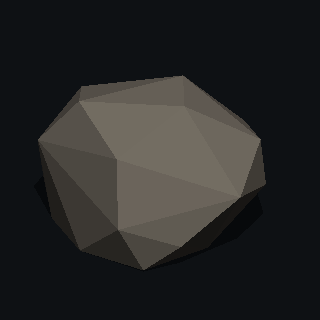 Stonehand-sized to knee-high
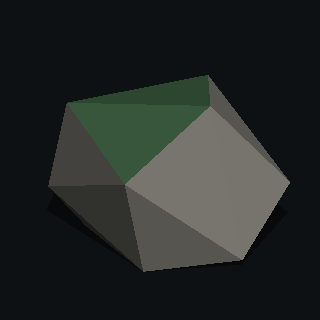 Boulderhead-high and more
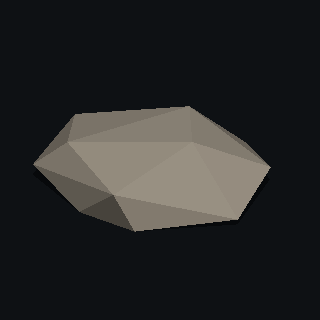 Slabflat and wide
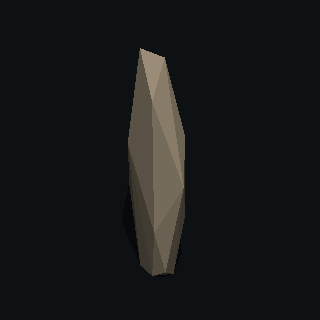 Spiretall and narrow
- Stone: A single rounded stone. About 50 triangles as proposed.
- Boulder: A big angular boulder. About 28 triangles as proposed.
- Slab: A flat slab, good for a step or a ledge. About 34 triangles as proposed.
- Spire: A standing stone or a hoodoo. About 34 triangles as proposed.
Formats
You download a zip. The OBJ is one mesh with one material. Its colors come from the PolyMason palette, a single texture of 3,821 color blocks that every model from here shares, so a scene full of them is still one material. Flat normals are written into the file. There's also STL for printing and 3MF with the exact colors. GLB is next. Everything is in meters and stands on the ground at the origin, which is what Unity and Godot expect. Unreal wants a scale of 100 on import, and the OBJ guide shows where to set it.
Read before you import
Other things to build
Questions
- How many triangles are the rocks?
- Stone about 50; Boulder about 28; Slab about 34; Spire about 34, as proposed. Detail sliders change it.
- Is it free?
- Yes. There's no account, no watermark and no limit on downloads.
- Can I use it in a commercial game?
- Everything you build here is yours. Use it in any project, commercial or not, with no attribution required.
- What does it export?
- A zip with OBJ, STL and 3MF. The OBJ is one mesh with one material on the shared PolyMason palette texture, with flat normals in the file. The 3MF keeps the exact colors. Models are in meters and stand on the ground at the origin. If you select them at the export step, you also get lower levels of detail, younger and dead versions, a stump, a felled trunk, chopped logs and billboards. GLB is next.
- Does it work in Unity, Godot and Unreal?
- Yes, all three import OBJ. The model is in meters with its base at the origin, the material library points at the palette texture for color, and the normals in the file are already flat, so there's nothing to fix after import. Unreal works in centimeters, so set its import scale to 100.
- Why one palette for every model?
- So a whole scene can share one material. Every tree, and later every rock and building, points at the same texture, which lets the engine batch them together. Recolor a block in the texture and everything that uses it changes. Every color the builder proposes has a block of its own, so it exports exactly as you see it. A color you pick yourself moves to the nearest block, usually by a few percent, and the 3MF keeps it exact.